
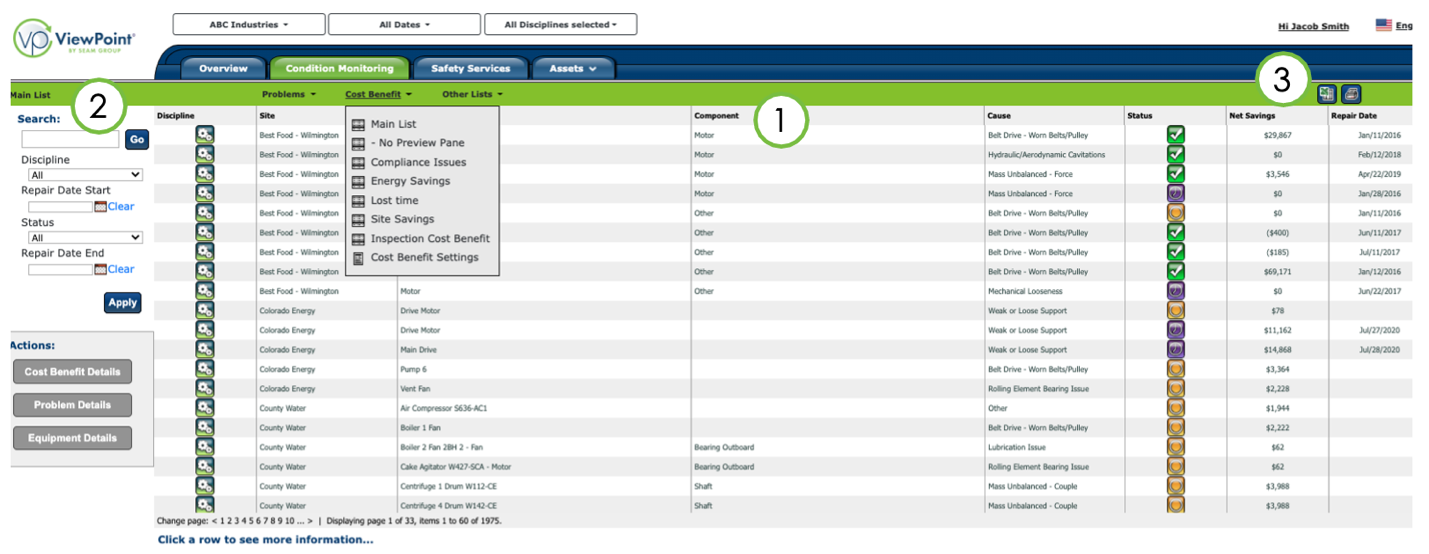
The cost benefit list displays financial and energy savings information for the selected region/site, date range, and discipline(s).
- Click on the column headers (1) to sort, or search the list (2) for a specific item, discipline, repair date, or repair status.
- You can also export the list to an Excel spreadsheet or print to PDF (3).
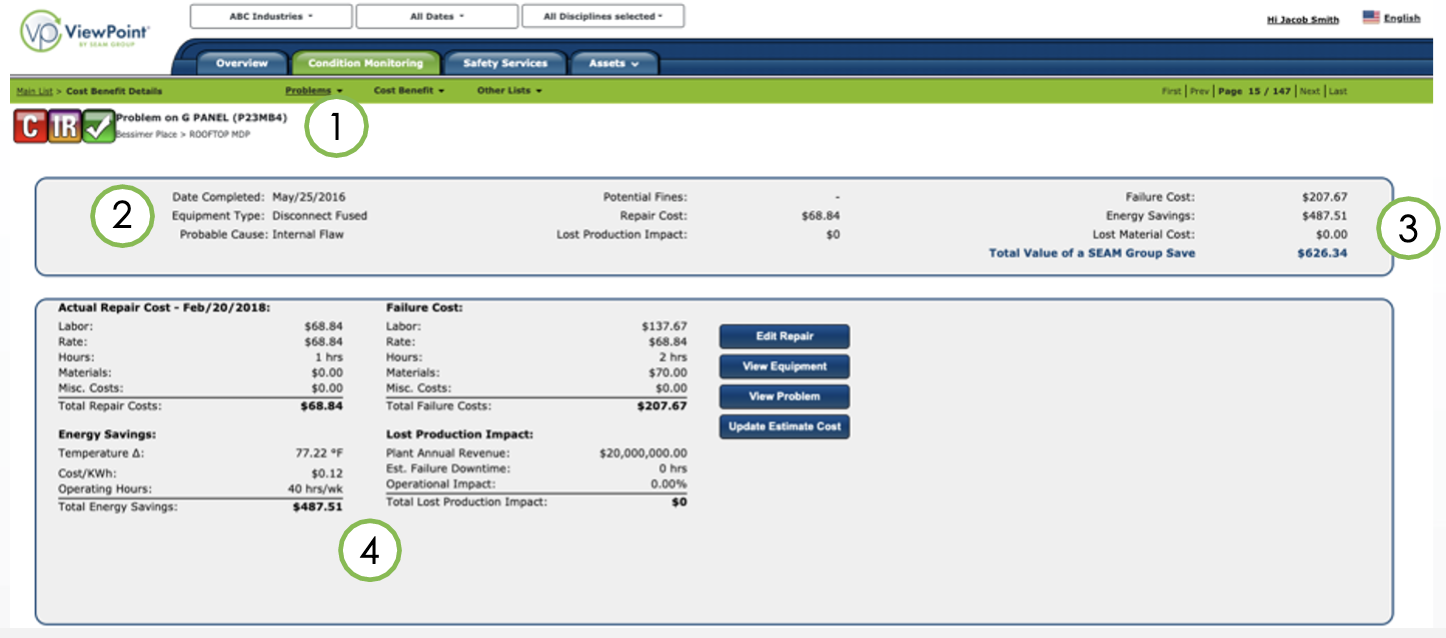
The cost benefit details page displays all financial and energy savings information for the problem selected, including discipline, severity, status, and location (1).
The top area provides a financial summary of the problem, including fines and costs involved (2). The potential amount saved by addressing problems observed during the inspection is also shown (3).
The bottom area lists financial details, including labor and material costs of a repair before and after a failure, energy savings, and lost production as a result of a failure (4).
Click the buttons to edit repair information, view the equipment, view the problem, or update costs (5).
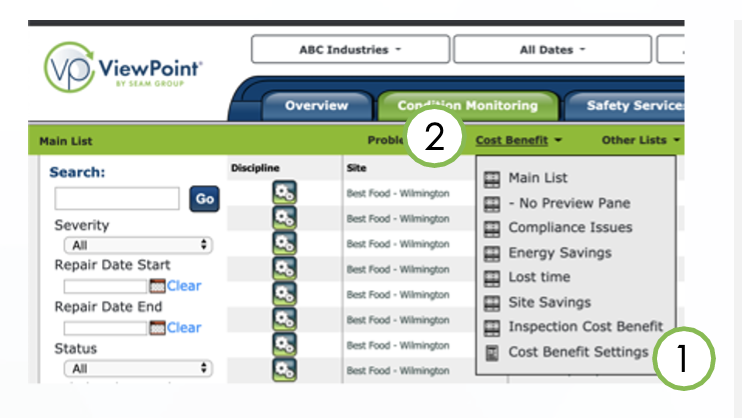
Click the Condition Monitoring tab, then Cost Benefit, and select Cost Benefit Settings (1).
Here, you can enter site, region or client level financial settings based on the selection in the Site/Region filter (2).
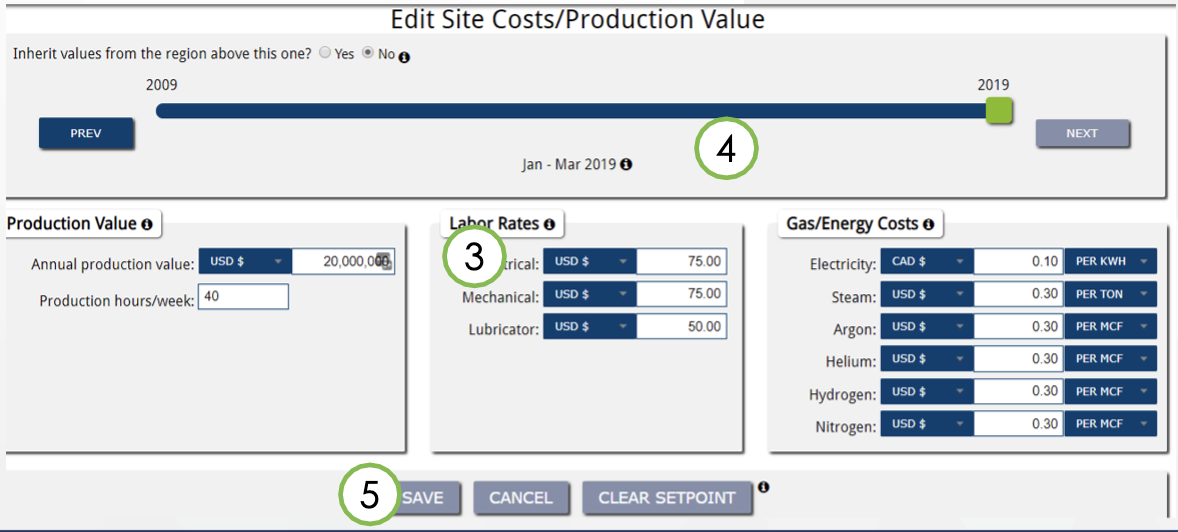
Enter the hours of operation for the selected site and customize financial information in the boxes provided (3).
To create a customized financial picture for a specific time period, click on the date bar to select the correct quarter and save the values to create a set point (4). Click save to apply setting (5).
If you need further assistance, please email us at vphelp@seamgroup.com
Comments
0 comments
Please sign in to leave a comment.