
You can easily update your personal information and application preferences in the user settings section of ViewPoint.
First, click on your name (1) to view your user settings, including how to change your password.
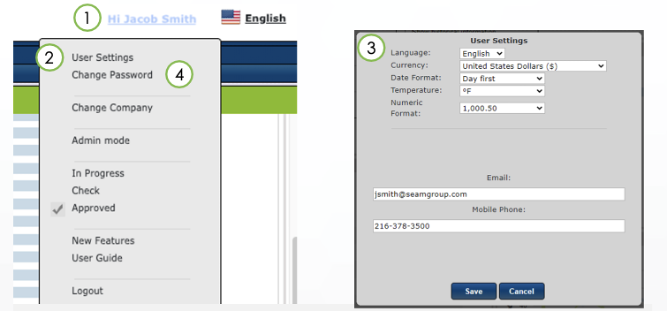
Click on User Settings (2) to update your personal information and change temperature or currency display settings (3)
Click on Change Password (4) and update the information required
If you need further assistance, please email us at vphelp@seamgroup.com
Comments
0 comments
Please sign in to leave a comment.