
You can see the number of open problems found during the inspection in the dashboard/reports/problems section of ViewPoint, the status of these problems can be managed in ViewPoint to better track and plan your maintenance windows.
Follow the steps below to change the status of a problem.
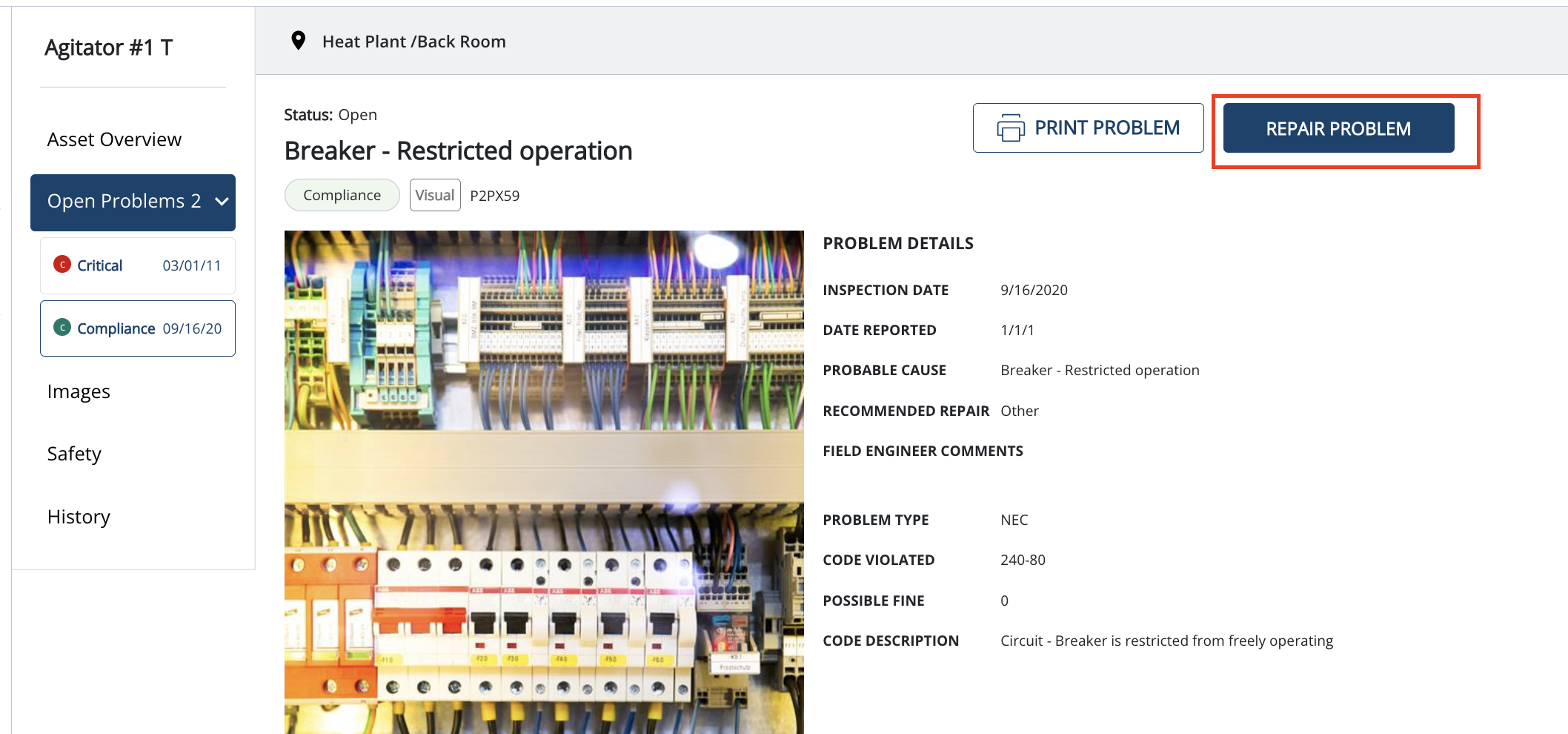
1) Click on a problem record or click on view problem under action for the problem record under site inspection reports or problems tab

2) Click on the repair problem-button
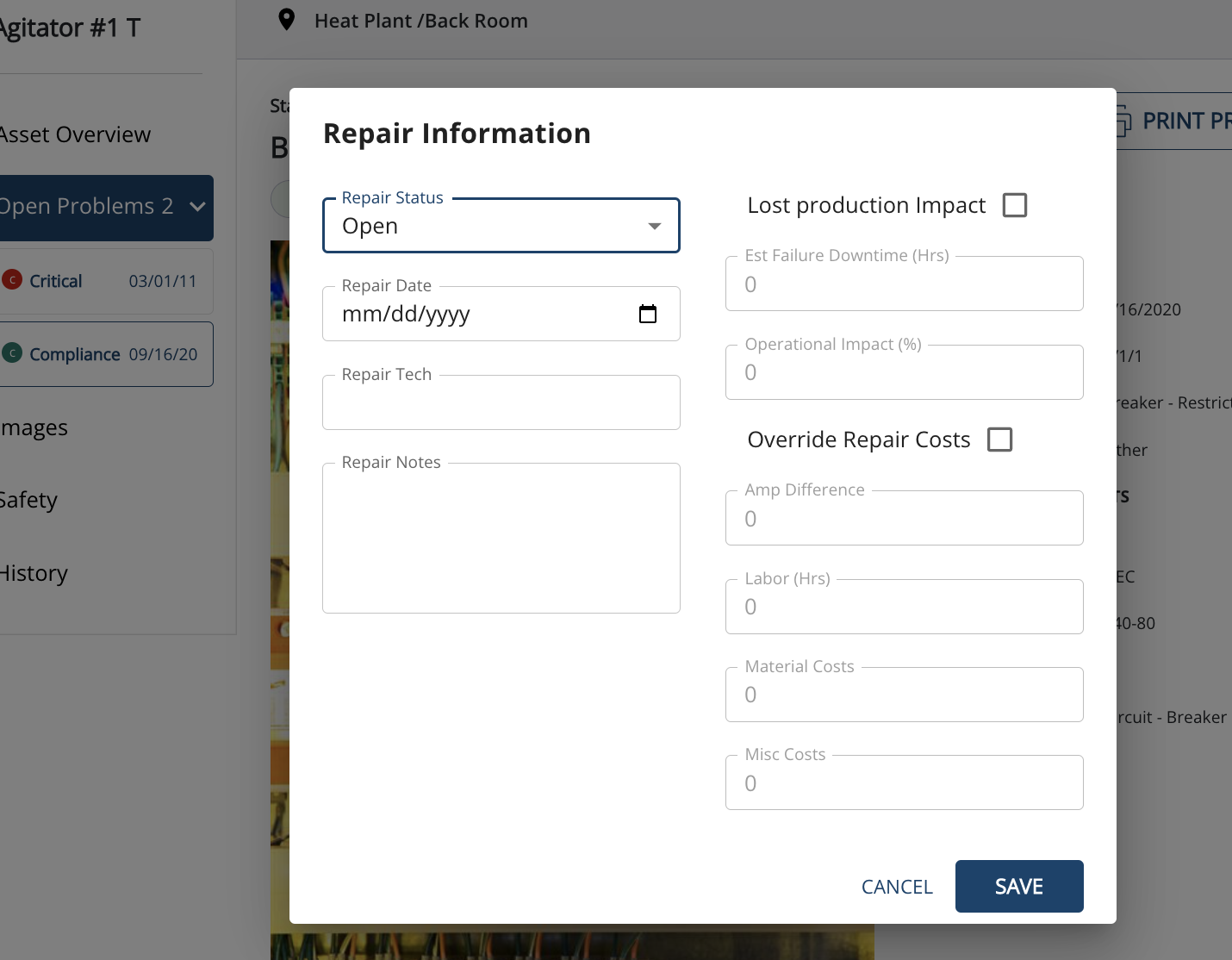
3) Select the repair status, date, technician name, and notes. you can also enter lost production costs and override repair costs, it is very important to keep the problem status up to date for tracking the open problems, and cost-benefit for the site, region, and company.
If you need further assistance, please email us at vphelp@seamgroup.com
Comments
0 comments
Please sign in to leave a comment.